Documented Commission Automation for RevOps and Finance: BrokerPay Case

Commission documentation automation replaces manual spreadsheets and email trails with software that calculates payouts from live sales and billing data, applies your compensation rules automatically, and keeps a permanent, auditable record of every calculation and change. The result: fewer payout errors, faster reconciliations, and a paper trail you can hand an auditor without panic. It runs on a rules engine connected to your CRM, billing, and payroll systems.
TL;DR:
- Automated commission systems can significantly reduce errors and processing time by syncing live sales, billing, and payroll data, ensuring accurate payouts.
- A full audit trail with role-based approvals and change logs is essential for dispute resolution and compliance, especially during audits.
- Implementing a no-code rules engine and live system integrations is critical to model complex pay structures and maintain synchronization across sources.
- Proper documentation, including sales agreements and change letters, must be current and retained to support transparent, auditable payout processes.
- For brokerages, switching from informal payment apps to compliant platforms like BrokerPay addresses regulatory risks and creates a clear, documentable payout trail.
Table of Contents
- What Is Commission Documentation Automation?
- Why Automating Commission Documentation Pays for Itself
- What Features Should You Require in a Commission Platform?
- How Do You Implement Commission Automation Step by Step?
- What Documents Should Every Commission Program Retain?
- What Goes Wrong When Teams Automate Commissions?
- How BrokerPay Applies These Standards to Real Estate Brokerages
- Where Is Commission Automation Headed Next?
- The Part Everyone Skips: Documentation Before Automation
- Get Your Brokerage Off Venmo and Onto a Compliant System
- Sources
What Is Commission Documentation Automation?
Commission documentation automation is the practice of using software to capture, calculate, approve, and retain everything tied to a commission payout: the underlying sales data, the rule applied, the approval history, and the final statement sent to the rep. It’s a distinct discipline from basic commission tracking, which might just log numbers in a dashboard, and from payroll exports, which move final figures into a paycheck without preserving how those figures were derived.
The scope matters because disputes rarely hinge on the payout amount alone. They hinge on whether anyone can prove how that amount was calculated six months later.
A proper system pulls from several data sources and keeps them synchronized:
- CRM records (deal stages, close dates, deal owner, referral splits)
- Billing and invoicing platforms (actual revenue collected, refunds, cancellations)
- Accounting systems (recognized revenue, payment timing)
- Contract and compensation-plan documents (rates, tiers, quotas, effective dates)
Software that only exports a number to payroll without linking back to these sources isn’t documentation automation. It’s just a faster way to move a figure nobody can later explain.
Why Automating Commission Documentation Pays for Itself
Manual commission tracking fails in predictable ways: a formula gets copied wrong across a spreadsheet, a rep’s tier changes mid-quarter and nobody updates the calculation, or a dispute drags on for weeks because finance can’t reconstruct what happened three pay periods ago. Automation attacks each of these failure points directly.
By the numbers: Automated commission systems can cut processing time substantially and reduce calculation errors dramatically, according to Centify’s commission automation guide, by replacing manual spreadsheet math with rules applied consistently to every payout.
The benefits break down into four categories worth presenting to whoever signs off on the budget:
- Accuracy: Fewer manual entry points means fewer errors, and errors are what trigger disputes in the first place.
- Operational efficiency: Reconciliation that used to take days of cross-referencing spreadsheets happens automatically, freeing finance and RevOps for forecasting instead of firefighting.
- Trust and transparency: Reps see real-time statements showing exactly how their payout was calculated, which cuts down on the “why is my check short” tickets.
- Audit readiness: Every calculation, approval, and change gets logged, so audit readiness improves because auditors can trace a payout back to its source data instead of taking finance’s word for it.
That last point deserves emphasis. A commission audit trail isn’t a nice-to-have for compliance season. It’s the difference between answering an auditor’s question in five minutes and spending a week reconstructing history from old email threads.
What Features Should You Require in a Commission Platform?
Not every commission tool on the market actually documents anything. Some just calculate and pay. If documentation and audit readiness matter to your organization, look for four categories of capability before you sign a contract.
- A flexible, no-code rules engine. You need to model splits, accelerators, tiered rates, clawbacks, and recurring commission logic without filing an engineering ticket every time sales changes a comp plan. Rules should be visible and editable by RevOps, not buried in someone’s custom script.
- Real integrations, not just data exports. The platform needs a live connection to your CRM (Salesforce, HubSpot, or similar), your billing or invoicing system, and your accounting platform, plus a clean export format for payroll and ACH transfers. Continuous syncing between these systems is what keeps commission data from going stale between pay cycles.
- A complete audit trail with role-based approvals. Every change to a rule, every override, every approval step needs a timestamp and a name attached. Dispute workflows should let a rep flag a discrepancy and route it to the right approver without a side conversation in Slack.
- Secure document storage and retention controls. Statements, agreements, and change letters need a home with defined retention periods and access controls that match who actually needs to see what.
Pro Tip: When you’re evaluating platforms, ask for a live demo of the change log, not just the dashboard. A vendor that can’t show you who changed a commission rule and when isn’t offering documentation automation. It’s offering a calculator with better branding.
The commission ledger audit trail is the feature that separates a real documentation platform from a glorified spreadsheet replacement. If a platform can’t reconstruct last quarter’s payout logic on demand, it doesn’t belong on your shortlist regardless of how clean its dashboard looks.
How Do You Implement Commission Automation Step by Step?
Rolling out automation without a plan is how organizations end up with a expensive tool nobody trusts. Follow a sequence that surfaces problems before they hit a live paycheck.
- Map your current process and data sources. Document every system that feeds a commission calculation today, including the CRM fields, invoice data, and manual spreadsheets nobody officially owns but everyone quietly relies on.
- Standardize terminology before you standardize the software. If “closed deal” means something different to sales than it does to finance, fix that in your commission agreements and change letters first. Automation exposes inconsistent definitions fast, and it’s better to catch them on paper.
- Model your rules and backtest against historical data. Run last year’s actual sales numbers through the proposed rule set and compare the output to what reps were actually paid. Discrepancies here reveal edge cases, like partial-quarter hires or split deals, that your rule engine needs to handle explicitly.
- Configure approval workflows and export formats. Decide who approves exceptions, how retention policies apply to statements and logs, and what format payroll needs for ACH processing.
- Pilot with one team before rolling out company-wide. Run the new system in parallel with your existing process for at least one full pay cycle. Compare outputs line by line, not just totals.
- Train, document, and schedule reviews. Once the pilot checks out, roll out with real training sessions, not just a shared help article, and put a recurring review on the calendar so rule changes get evaluated instead of accumulating unnoticed.
This sequence takes discipline, particularly the backtesting step, which teams under deadline pressure are tempted to skip. Skipping it is how a brokerage or sales org discovers a rule flaw only after three months of live payouts have gone out wrong. Running a structured pilot alongside backtesting before full rollout is consistently what separates smooth automation launches from the ones that generate a support ticket queue.
What Documents Should Every Commission Program Retain?
Automation handles the calculation. Documentation handles the proof. Every organization running commissions needs a small set of standing documents, kept current and retained properly, regardless of how good the software is.
A sales commission agreement should spell out how commissions are calculated, when they’re considered earned, payout cadence, clawback conditions, dispute processes, and how the plan can be modified. Using a template and reviewing it annually keeps Sales, Finance, and HR aligned and reduces the odds of a clause getting overlooked. A collaboration template built for agents and brokers can speed up drafting these agreements without starting from a blank page.
A change-of-commission letter needs its own checklist: clear definitions, the new rate and structure, updated goals or quotas, the effective date and payout schedule, floors and clawback terms, termination clauses, and signatures. Salesforce’s guidance on commission letters makes one point managers routinely skip: tell the rep verbally before the letter arrives. A written change that lands with no warning reads as a demotion, even when the math is fair.
| Document | Core purpose | Retention priority |
|---|---|---|
| Sales commission agreement | Defines calculation, earning, and payout rules | Full employment term plus dispute window |
| Change-of-commission letter | Documents any modification to rate, quota, or terms | Same as agreement |
| Commission statements | Per-payout record shown to the rep | Multi-year, per audit policy |
| System audit / change log | Who changed what rule, and when | Retained indefinitely in the platform |
On disputes, set a clear timeline (many organizations use 30 to 60 days from statement issuance) and require the rep to submit specific line items in question rather than a general complaint. And loop in legal or HR before finalizing plan changes. A recent case involving a VP of sales suing over unilateral commission changes shows what happens when a company alters commission terms without documented consent. Written agreement isn’t paperwork for its own sake. It’s what keeps a policy change from becoming a lawsuit.
What Goes Wrong When Teams Automate Commissions?
Most automation problems trace back to data, not software. Fix these before you flip the switch, not after.
- Dirty CRM and billing data. If deal stages or invoice amounts are inconsistent going in, automation will faithfully calculate wrong payouts at scale. Reconcile CRM and billing records before cutover, not during it.
- Undefined retroactive adjustment rules. Decide in advance how you’ll handle a deal that closes, then gets amended a month later. Communicate the rule to reps before it happens, not after someone’s check changes unexpectedly.
- Overly broad access. Reps should see their own statements and calculation logic. They shouldn’t have edit rights to the rules that generate them. Segment access by role from day one.
- Refunds and cancellations slipping through. Tie your clawback logic directly to billing system refund events so a canceled deal automatically adjusts the commission instead of relying on someone to catch it manually.
Pro Tip: Run a 90-day lookback report on refunds and cancellations before launch. If that number is higher than finance expects, your clawback automation needs to be airtight from week one, not phased in later.
How BrokerPay Applies These Standards to Real Estate Brokerages
Real estate brokerages face a version of this problem with extra regulatory weight. RESPA compliance means agent splits, referral fees, and co-op commissions can’t move through informal payment apps without creating federal liability, yet many brokerages still route payments through Venmo or Zelle out of habit.
BrokerPay addresses this by automating the documentation layer specifically for brokerage payment structures:
- Tracks and documents agent splits, referral fees, and co-op commissions with a full audit trail attached to each transaction
- Replaces peer-to-peer payment workarounds with brokerage-approved ACH transfers, closing the compliance gap those apps create
- Applies approval workflows so payments require documented sign-off before funds move, not after
- Retains records in a format built for RESPA-related audit requests rather than a personal payment app’s transaction history
For a brokerage, that’s the difference between a payment trail an auditor can follow and a stack of Venmo notifications nobody can explain a year later.
Where Is Commission Automation Headed Next?
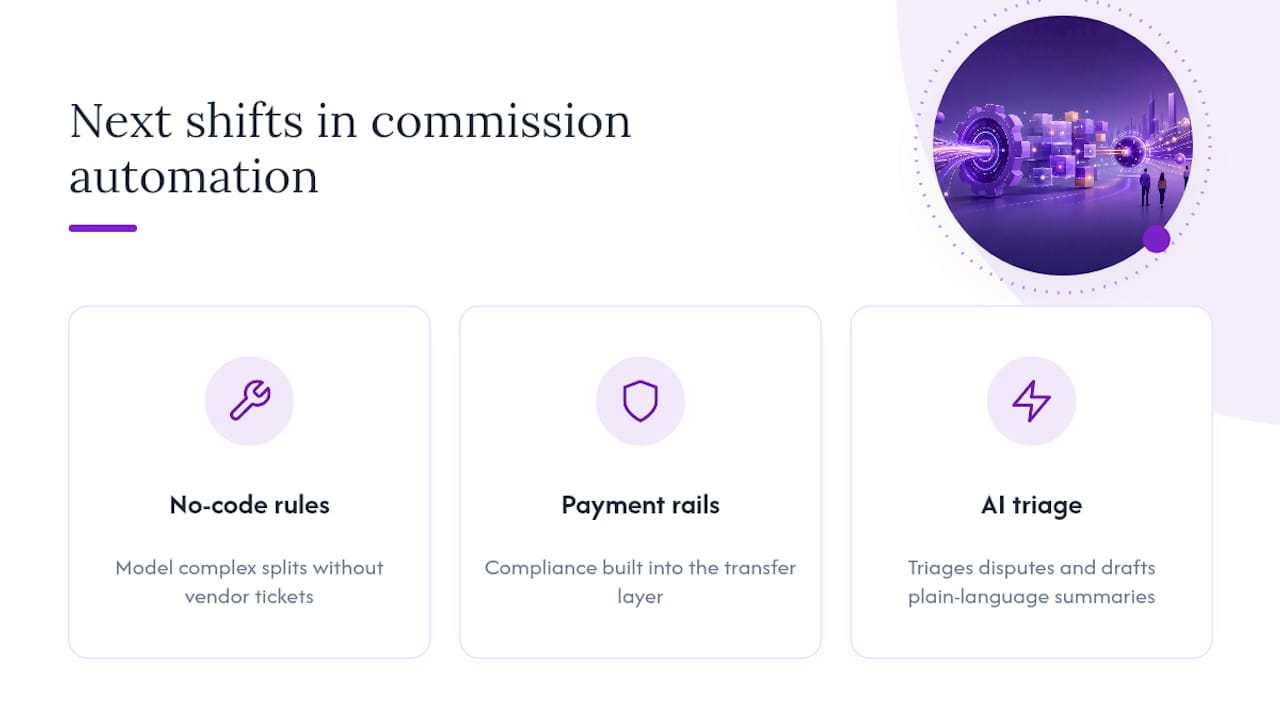
Expect three shifts over the next few budget cycles. No-code rule configuration will get more granular, letting operations teams model complex splits without vendor support tickets. Payment rails will tighten further, with compliance controls built directly into the transfer layer instead of bolted on afterward. And AI-assisted tools will start triaging disputes and drafting plain-language statement summaries, cutting the manual back-and-forth that currently eats up finance team hours.
The Part Everyone Skips: Documentation Before Automation
The mistake I see most often isn’t picking the wrong software. It’s automating a broken process and assuming the software will fix the underlying documentation gaps on its own. It won’t. If your commission agreements are vague about clawbacks, or nobody’s issued a proper change-of-commission letter in two years, automation just calculates the ambiguity faster.
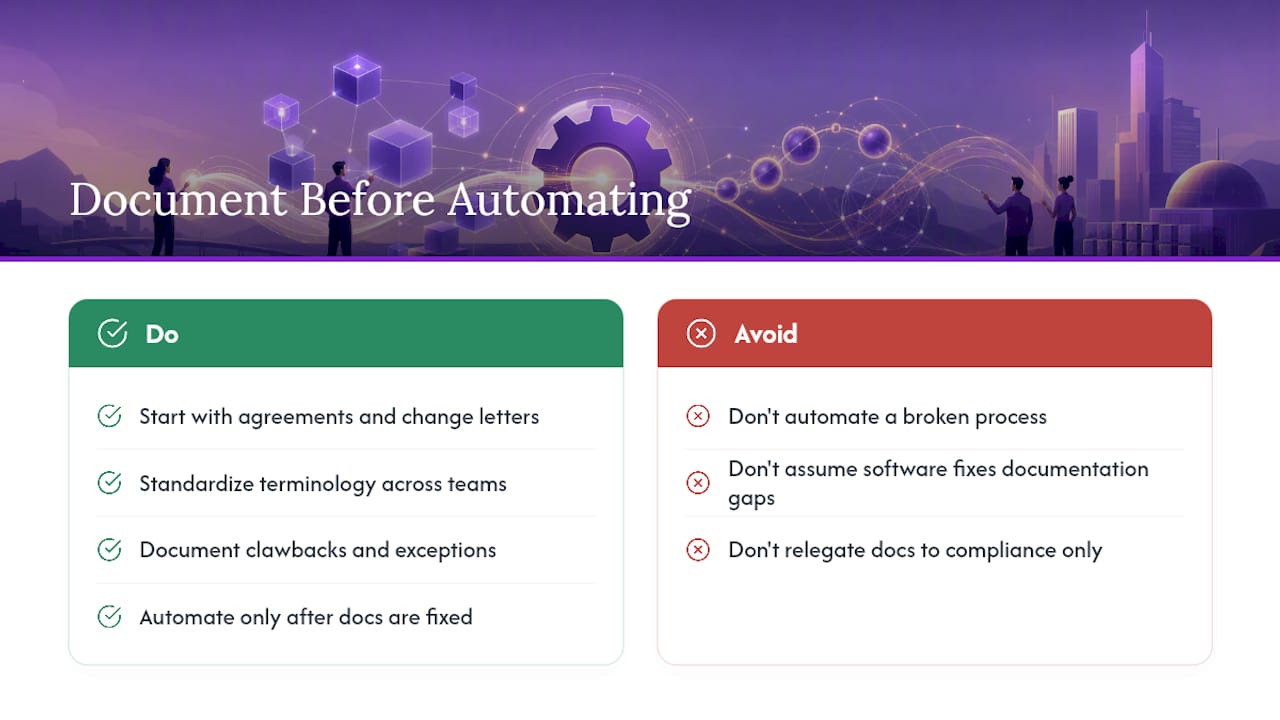
Conventional advice treats documentation as the compliance team’s problem, something to clean up after the “real” work of picking a platform is done. That’s backwards. The agreement and the change letter are the source of truth the rules engine is supposed to encode. Get those wrong and every downstream calculation inherits the error, just with more confidence behind it.
If you’re prioritizing, start with the paper, not the platform. Fix your agreements, standardize your terminology, and only then let a rules engine do what it’s actually good at: applying those rules consistently, every single payout, without getting tired or careless the way a spreadsheet formula eventually does.
— Wes
Get Your Brokerage Off Venmo and Onto a Compliant System
BrokerPay is built specifically for brokerages that need to stop routing agent splits, referral fees, and co-op commissions through personal payment apps. Instead of a general-purpose commission tool retrofitted for real estate, it tracks and documents every split with an audit trail designed around RESPA compliance from the start, not added as an afterthought.
If your office is still settling commissions through Venmo or Zelle because “it’s just easier,” that convenience is exactly what creates federal liability with no paper trail to defend it. The platform handles brokerage payment approvals, ACH transfers, and cap tracking in one place, so agents get paid correctly and your office keeps a documented record if a regulator or an agent ever asks how a payout was calculated. Related reading on why consistent commission tracking prevents tax headaches for agents covers a related benefit worth knowing about before tax season.
Visit BrokerPay to see how your brokerage can move off manual payment workarounds and onto a documented, compliant payout process.