Control First Payment Approval Workflow for Brokerages and AP Teams

A payment approval workflow is the control gate that stops unauthorized cash from leaving a company, especially important for real estate firms managing commissions and payouts using a real estate commission calculator to ensure accuracy. It sits between invoice approval and funds release, applying rule-based checks, escalating anything unusual, and logging every decision. Done right, it cuts fraud exposure, enforces segregation of duties, and gives auditors a clean trail without slowing down the vendors and employees waiting to get paid.
TL;DR:
- Payment thresholds should be based on amounts, roles, and bank account status, with escalation clocks systematized to prevent delays during absences.
- Pre-payment validation helps prevent fraud by verifying vendor details, bank account changes, and flagging duplicates before approval.
- Use a tiered approval system where routine payments auto-approve, medium risks route to managers, and high risks require multiple sign-offs.
- Tracking key KPIs like cycle time, exception rate, auto-approval share, and bank detail changes highlights workflow efficiency and fraud risks.
- Implement strict controls such as owner assignment for each step, locked fields during approval, and mandatory re-verification of bank details to prevent common failures.
Table of Contents
- What Is a Payment Approval Workflow, and What Stages Does It Cover?
- How Do You Set Approval Thresholds and Escalation Rules?
- What Pre-Payment Validation and Fraud Controls Actually Prevent
- Where Automation Helps and Where It Should Stay Out of the Way
- How Do You Design and Roll Out a New Workflow?
- Which KPIs Show Whether a Payment Workflow Is Working?
- Why Do Payment Approval Workflows Break Down in Practice?
- How BrokerPay Handles Payout Approval for Brokerages
- Where Most Advice on This Topic Gets It Wrong
- A Compliant Payout Workflow Built for Brokerages
- Where to Learn More
- Sources
What Is a Payment Approval Workflow, and What Stages Does It Cover?
A payment approval workflow is distinct from invoice approval, even though people often use the terms interchangeably. Invoice approval confirms a bill is legitimate and coded correctly. Payment approval is the final control gate before money actually moves, and it deserves its own set of rules, owners, and audit checkpoints.
Most mature workflows follow the same five or six stages, regardless of company size:
- Payment run compilation. AP batches approved invoices into a run, or an individual high-value payment gets pulled out for standalone review. Itemization matters here. A lump-sum run of $400,000 tells an approver nothing; a line-by-line breakdown lets them spot the one $85,000 outlier that needs a second look.
- Pre-payment validation. Before any human approver sees the run, automated checks confirm vendor master data, bank account details, and duplicate-payment risk. This step catches most problems before they become someone’s judgment call.
- First-level authorization. A manager or AP supervisor reviews the run against policy and either approves, rejects, or kicks it back for correction.
- Senior or dual authorization. Anything above a set dollar threshold, or flagged as high-risk, requires a second, more senior sign-off. Structured workflows re-validate vendor and bank details at this stage too, not just at intake.
- Release and bank transmission. Treasury or a designated payment operator submits the file to the bank or ACH network.
- Reconciliation. Someone confirms the payment landed correctly and matches it back to the original invoice and approval record.
Assign a named owner to each stage. The moment two stages share an owner, you’ve quietly rebuilt the single point of failure the whole workflow was designed to eliminate.
How Do You Set Approval Thresholds and Escalation Rules?
Thresholds are where most workflows either work smoothly or turn into a bottleneck nobody can explain. The goal is routing decisions to the right level of scrutiny without making every $200 payment wait on a VP’s calendar.
- Amount-based thresholds: a common structure is auto-approval under a lower threshold, one manager sign-off up to a mid-level limit, and dual authorization above that, though the exact bands depend on your cash flow and risk tolerance.
- Role-based limits: tie thresholds to job function, not just title. A regional controller might approve $50,000 in operating expenses but zero dollars in payroll changes.
- Bank-account-specific rules: payments to new or recently modified bank accounts should trigger mandatory verification regardless of dollar amount. Sensitive changes deserve re-authentication, not just a policy note.
- Delegation and alternates: every approver needs a named backup with the same authority limit, active automatically after a set number of hours, not left to someone’s memory during vacation season.
- Escalation timelines: if a payment sits unapproved for 48 hours, it should auto-escalate to the next role up, with a timestamped notification, not silently wait.
- Routing logic: decide upfront whether high-value payments need “all approvers” or just the “first qualified” approver. Dual authorization for anything touching payroll or new vendors is the safer default.
Pro Tip: Build your escalation clock into the system, not into a policy PDF. If escalation depends on someone remembering to check a spreadsheet, it will fail exactly when you need it most, during a vacation week or a system migration.
What Pre-Payment Validation and Fraud Controls Actually Prevent
Pre-payment validation is the unglamorous work that happens before any approver’s name touches the payment. It’s also where most fraud gets stopped, because it removes human error from the equation before a human ever weighs in.
The core checks worth automating:
- Vendor master hygiene: new vendors get verified against a whitelist or registration database before their first payment, not after.
- Bank detail verification: any change to an existing vendor’s bank account triggers a callback or secondary confirmation through a channel other than email, since email is the most common vector for business email compromise.
- Duplicate detection: the system flags matching invoice numbers, amounts, or vendor/date combinations before a payment run gets compiled, not after it’s already gone out.
- Field-locking: once a payment enters the approval chain, amount and beneficiary fields lock. Any change forces a restart of the approval sequence.
- Immutable audit trails: every approval, rejection, and edit gets timestamped with the approver’s identity, permanently, with no ability to alter history after the fact.
Payments-fraud research consistently shows that structured controls and workflows materially reduce fraud exposure and improve detection rates compared with informal or manual review processes. The Sarbanes–Oxley Act is the reason segregation of duties and auditable trails aren’t optional for public companies, and private companies that skip them tend to regret it the first time an auditor or insurer asks for evidence.
Where Automation Helps and Where It Should Stay Out of the Way
The mistake most AP teams make with automation is treating it as binary: either a human reviews everything, or the system approves everything under a threshold. Neither extreme works well in practice.
A tiered approach holds up better. Routine, low-risk payments get auto-approved with an audit flag attached; medium-risk items route to a manager for a quick one-click decision; anything high-risk or outside policy requires multi-party sign-off before it moves an inch.
Rules that generally justify auto-approval:
- Vendor has a clean payment history of 12+ months with no disputes.
- Amount falls below the lowest configured threshold.
- No changes to bank details, address, or tax ID since the last payment.
- Invoice matches a purchase order within tolerance.
Signals that should force a flag, no exceptions:
- New vendor or recently changed banking information.
- Round-number invoices or amounts just under a threshold, a classic manipulation pattern.
- Payment requests arriving outside normal business hours or from an unusual IP or device.
AI and rules engines are good at pattern matching across thousands of transactions faster than a person ever could. They’re bad at judgment calls involving context a system doesn’t have, so they should assist approvers, not replace them, on anything flagged as an exception. Integration matters here too: your workflow is only as good as its connections to your ERP system, bank APIs, and any payroll or commission platform feeding it data. Disconnected systems are where duplicate approvals and stale vendor records quietly accumulate.
How Do You Design and Roll Out a New Workflow?
Rolling out a new payment approval workflow without a plan is how AP teams end up with a system nobody trusts and everybody routes around. A phased approach protects both cash flow and vendor relationships.
- Map the current state. Document every existing approval step, who actually does it (not who’s supposed to), and where payments get stuck. Most teams discover informal workarounds they didn’t know existed.
- Assign owners and SLAs. Every stage needs a named role, a backup, and a maximum turnaround time in writing.
- Build the rules matrix. Document thresholds, routing logic, and exception paths in one place, not scattered across memos and institutional memory.
- Pilot on a narrow scope. Start with one vendor cohort, one amount band, or one business unit. A pilot that fails small is recoverable; a pilot that fails company-wide is a crisis.
- Train and manage the change. Approvers need to understand not just how to click “approve,” but why the rules exist. That context is what prevents people from finding shortcuts around the system.
- Keep a rollback plan. Know exactly how to revert to the prior process if the new workflow breaks something during a payroll run or a large vendor payment cycle.
Pro Tip: Pilot with your lowest-risk vendor cohort first, not your highest-volume one. You want to learn what breaks before real money and real relationships are on the line.
BrokerPay’s guide to switching from manual to automated payouts walks through this exact phased approach for brokerages moving off spreadsheets and peer-to-peer apps.
Which KPIs Show Whether a Payment Workflow Is Working?
Numbers tell you whether your workflow is actually functioning or just running. Four metrics matter most:
- Cycle time, measured from submission to final release, broken into approval time and release time separately so you know exactly where delays happen.
- Exception rate, the percentage of payments that get flagged, plus the average time to resolve each exception.
- Auto-approval rate, the share of payments clearing without human review, alongside a separate audit completion rate confirming those auto-approvals are being spot-checked.
- Bank-detail change frequency, a trend line worth watching closely, since a spike often precedes a fraud attempt rather than following one.
Track these monthly, not quarterly. A workflow that looks fine in aggregate can still be hiding a bottleneck at one specific approval level, and by the time a quarterly review catches it, three months of vendor complaints have already piled up.
Why Do Payment Approval Workflows Break Down in Practice?
Most failures trace back to a handful of repeat offenders:
- Approver bottlenecks: one person becomes the workflow’s single point of failure. Fix it with named alternates and automatic SLA escalation, not with a bigger inbox.
- Segregation-of-duties breaches: the same person who creates a vendor also approves their first payment. Fix it by enforcing separation at the system level, not through a policy nobody checks.
- Bank detail substitution: fraudsters intercept an email and request a “quick” bank change. Fix it with mandatory verification and a delayed payout window on any account change.
- Over-automation: teams auto-approve too aggressively to hit speed targets. Fix it by keeping human review mandatory on exceptions and anything above your top threshold, no shortcuts.
How BrokerPay Handles Payout Approval for Brokerages
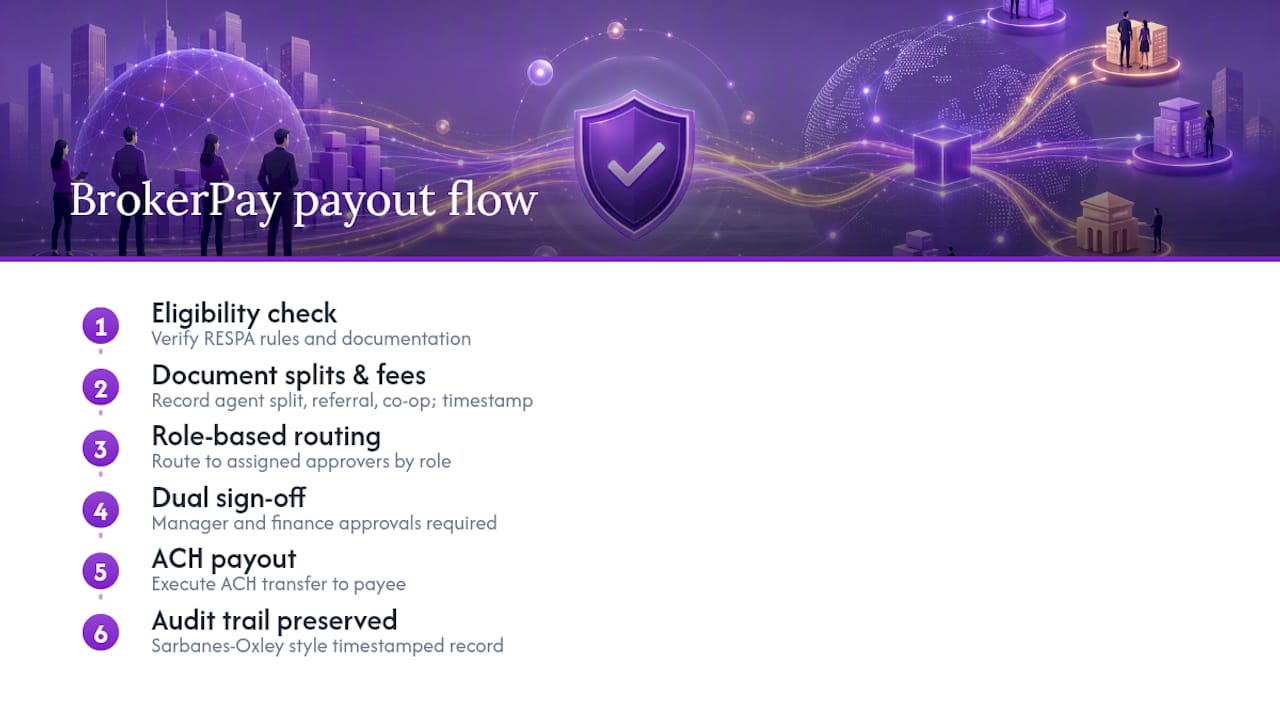
Real estate brokerages carry a risk most AP teams never deal with: RESPA exposure. A commission split routed incorrectly, or a referral fee paid without documentation, isn’t just an accounting error. It’s a compliance problem with federal teeth.
Commission payout workflows need extra guardrails beyond a standard vendor payment, including eligibility checks and sign-off from both a manager and finance before funds move. BrokerPay builds those guardrails directly into the platform: every agent split, referral fee, and co-op commission gets documented, timestamped, and routed through role-based approval before an ACH transfer goes out. That’s the same audit trail Sarbanes-Oxley style controls demand, applied to a workflow most brokerages still run over email and spreadsheets. For brokerages piloting this shift, the compliant co-op payment workflow examples show what the approval chain looks like end to end, from deal close to payout.
Where Most Advice on This Topic Gets It Wrong
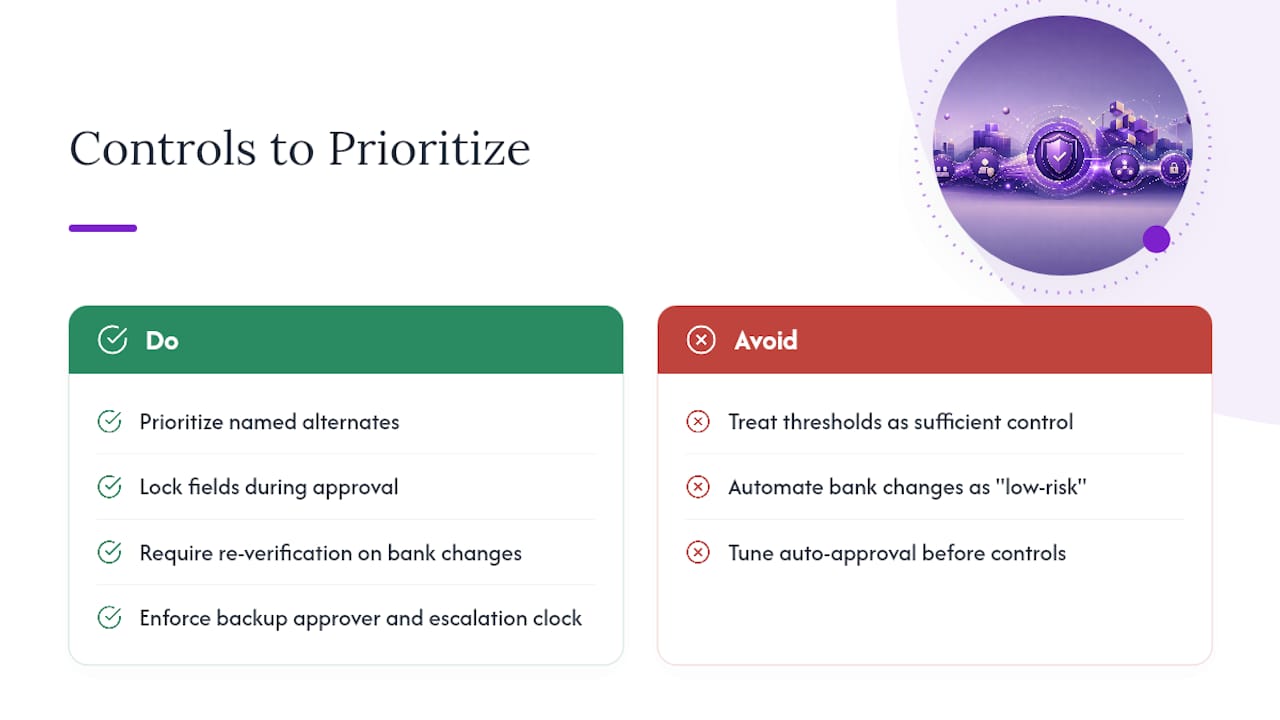
Most guides treat automation and control as a trade-off, as if faster approvals must mean looser oversight. That framing is backwards. The workflows that fail aren’t the ones with too much automation. They’re the ones that automated the wrong parts, letting bank-detail changes slide through on the same “low-risk” logic that correctly waves through a routine $200 vendor invoice.
The conventional advice to “set thresholds and move on” also undersells how much delegation design matters. A threshold without a real backup approver and an enforced escalation clock isn’t a control, it’s a suggestion that works until someone takes a week off. If you take one thing from this, prioritize the boring stuff first: named alternates, locked fields during approval, and mandatory re-verification on any bank change, before you spend another hour tuning auto-approval percentages. The fraud cases that make headlines almost never involve a system that automated too much. They involve one that never verified a bank account it should have.
— Wes
A Compliant Payout Workflow Built for Brokerages
Most vendor payment tools weren’t built for real estate commissions, splits, and referral fees, and it shows the moment a brokerage tries to force one into that use case. BrokerPay was built specifically for this: role-based approvals, immutable audit trails, and ACH payout support that maps directly to how agent splits and co-op commissions actually get calculated and disbursed.
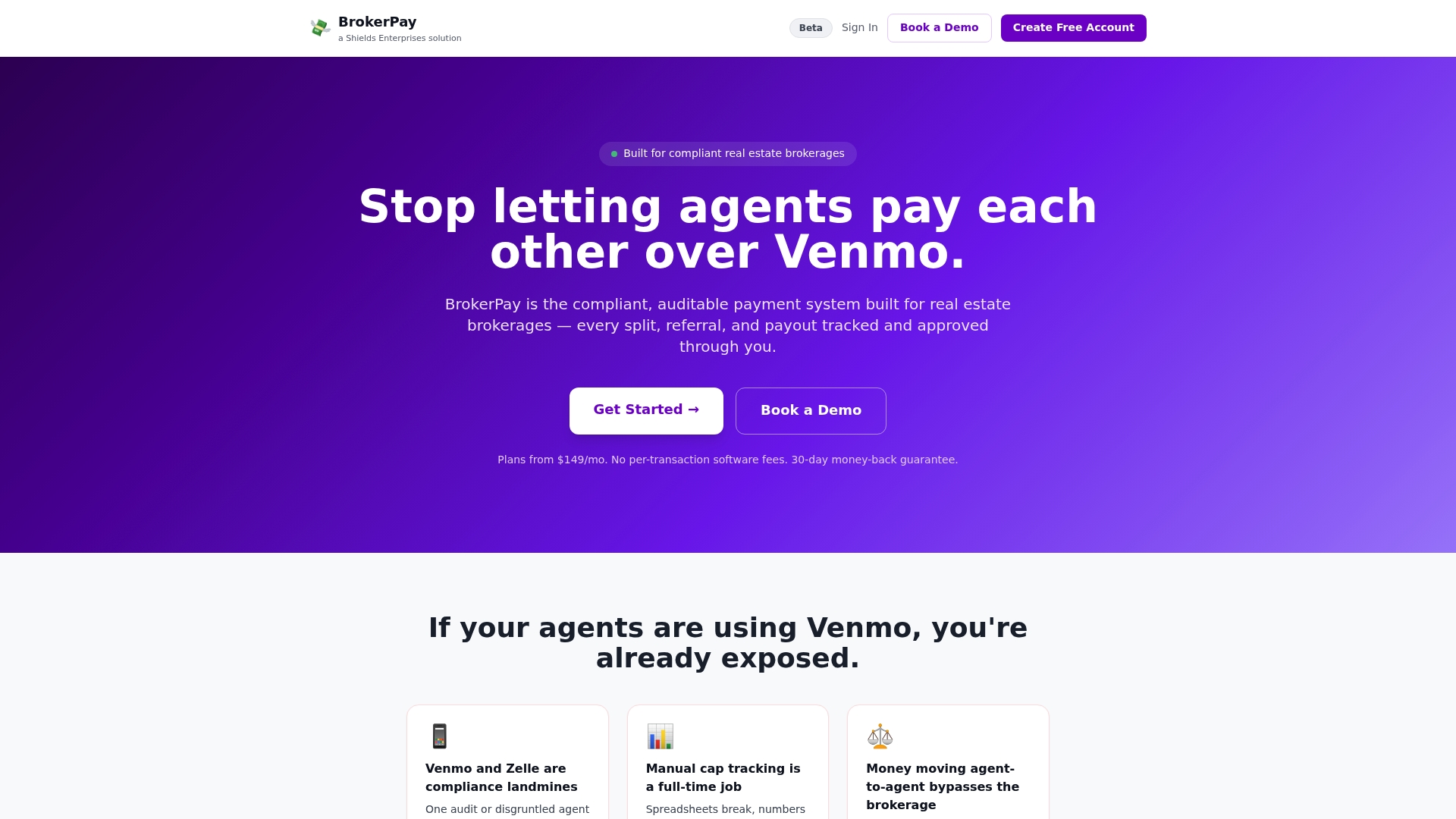
Every control described above, thresholds, bank verification, escalation, segregation of duties, is already built into the platform, so your brokerage isn’t reinventing an approval workflow from scratch or patching one together across email threads and Venmo transfers that create federal RESPA liability. If you’re still tracking splits manually or approving payouts over text, see how BrokerPay handles commission payments and get a walkthrough of how it fits your office’s approval chain.
Where to Learn More
For deeper technical setup, ERP vendors like NetSuite document configurable payment-run approval routing directly. For the legal backbone behind segregation-of-duties requirements, the Sarbanes-Oxley Act remains the reference point. For automation patterns specifically, Ramp’s payment approval process guide and BrokerPay’s notes on real estate payment gateways cover the practical rail-level detail this article didn’t have room for.