How to Handle Banking Detail Updates the Right Way

Sign into the specific service, add your new bank account, and complete its verification before removing the old one. That order matters more than the platform. Verification runs through either micro-deposits or an instant authentication link like Plaid’s, and payroll or government accounts like the SSA often follow their own timing, so check the cutoff before you touch anything.
TL;DR:
- Always add the new bank account before removing the old one to avoid missed or rejected payments during verification.
- Use instant authentication for faster verification and fewer payment disruptions, especially when managing multiple payees.
- Check all platforms, including employer, government, payment processors, marketplaces, and personal accounts, to ensure updates are complete everywhere.
- Keep the old account active until the new verification is confirmed to prevent payments from going to an unmonitored account.
- For business or government accounts, timing is critical, as updates may require additional documentation and strict adherence to cutoff schedules.
Table of Contents
- Where To Update Your Banking Information
- How Do You Safely Add or Replace a Bank Account?
- Micro-Deposits vs. Instant Verification: What’s the Difference?
- What To Do If a Payment Goes Missing or Gets Misdirected
- Payroll, SSA, and Business Accounts: Where Timing Gets Complicated
- Why Verification Speed and Audit Trails Actually Matter
- Automate Verified Commission Payouts With Brokerpay
- Where to Verify Official Update Procedures
- Sources
Where To Update Your Banking Information
Bank account details rarely live in one place. Most people forget at least one platform until a payment bounces, and by then it’s already a headache.
Run through this list before you assume you’re done:
- Employer payroll or HR portal. Payroll systems run on cutoff schedules, sometimes several business days before payday, so timing your update matters more here than anywhere else.
- Government benefits and tax accounts. The Social Security Administration lets you update direct deposit online or by phone, and other benefit programs follow similar rules.
- Payment processors and wallets. PayPal, Venmo, and merchant platforms like Stripe each store their own linked account, separate from your actual bank.
- Marketplaces and gig platforms. Any site that pays you directly needs its own update, even if you already changed the account elsewhere.
- Your bank or credit union’s own online profile. This sounds redundant, but joint accounts, business sub accounts, and old routing numbers linger longer than people expect.
- Client, vendor, and investment accounts. Retirement accounts, escrow arrangements, and business settlement accounts often require extra documentation.
Miss one, and the money doesn’t vanish. It just goes somewhere you’re no longer watching.
How Do You Safely Add or Replace a Bank Account?
The mechanics differ slightly by platform, but the sequence barely changes. Follow this order and you’ll avoid the two most common mistakes: losing access mid-change and getting a payment rejected because verification hadn’t finished.
- Gather your information first. You’ll need the account and routing numbers, the exact name on the account, and for business accounts, your EIN or TIN. Some platforms also ask for a photo ID.
- Sign in and find the banking or direct-deposit settings. This usually sits under “Payments,” “Payouts,” or “Account Settings,” depending on the service.
- Add the new account before removing the old one, when the platform allows it. Many support pages, including Stripe’s, specifically recommend this order as an anti-fraud safeguard.
- Choose your verification method. You’ll typically see either micro-deposits or an instant-link option, depending on what the platform supports.
- Complete verification before you touch the old account. Enter the micro-deposit amounts, or confirm through the instant authentication flow, whichever the service offers.
- Tell payroll or your client if a payment is close. A heads-up email costs you two minutes and can prevent a missed paycheck.
- Save your confirmation. A screenshot or email receipt showing the date you made the change is worth having if anything gets disputed later.
Pro Tip: Keep the old account active until you see a completed status on the new one, not just a “pending” label. A payment that processes mid-transition is the single most common reason people get paid to a dead account.
Micro-Deposits vs. Instant Verification: What’s the Difference?
Micro-deposits are the older method. A platform sends one or two small deposits, usually under a dollar, into the new account, and you confirm the exact amounts back on the site. It works reliably, but it’s slow: expect several business days before the deposits show up, and another round trip once you enter them.
Instant authentication skips that wait entirely. You log into your actual bank through a secure connector, and the platform confirms ownership immediately. Plaid’s Auth product links accounts and authenticates ownership in as little as 7 seconds, and it supports over 12,000 financial institutions. Similar real-time checks from providers like Socure and Trulioo verify ownership without requiring you to hand over bank credentials at all.
- Micro-deposits: slower, no bank login required, works almost everywhere.
- Instant auth: near-immediate, requires a secure bank login through the platform, not universally supported.
- Some platforms force a full remove-and-re-add cycle instead of an in-place edit, so always check the specific flow before assuming.
Faster verification isn’t just convenient. It directly cuts the number of returned payments and support tickets a business has to chase down, which matters a lot more once you’re managing dozens of payees instead of one.
What To Do If a Payment Goes Missing or Gets Misdirected
Basic security habits prevent most of the problems people run into. Type the platform’s URL directly instead of clicking email links, confirm the domain and HTTPS lock before entering anything, and turn on multi-factor authentication wherever it’s offered. Never send routing or account numbers over unsecured email, no matter how official the request looks.
If a payment doesn’t show up on schedule, work through this quickly rather than waiting it out:
- Check your account’s verification status first. A “pending” flag usually explains the delay on its own.
- Look for unclaimed micro-deposits sitting in the new account. They’re easy to miss in a busy checking history.
- Contact payroll or the payer directly instead of assuming it will resolve itself.
- Open a support ticket with screenshots of the error or pending status attached.
If you see unauthorized activity anywhere in the process, call your bank immediately and request a fraud alert or transaction dispute. Waiting even a day can shrink your options.
Pro Tip: If you run a business, log who made the change, when, and what documentation backed it up. That record is what saves you during a payroll audit or a compliance review.

Payroll, SSA, and Business Accounts: Where Timing Gets Complicated
Standard consumer platforms are forgiving. Payroll and government accounts are not, and business payouts add a documentation layer most people don’t expect.
- Payroll changes. Check your company’s cutoff schedule and notify HR before it passes. Miss it, and your update simply won’t apply until the following pay period.
- Social Security and other government benefits. The SSA lets you update direct deposit information online through your account, or by calling +1 800-772-1213 if you’d rather handle it by phone. Some changes require identity verification before they take effect.
- Business payouts and escrow accounts. Expect requests for authorized-signer verification, proof of account ownership, or a bank letter, especially for escrow or settlement accounts tied to real estate transactions.
For brokerages moving commission money between agents, a verified payee record and a clean audit trail aren’t just good practice. They’re what keeps a routine banking information update from turning into a compliance problem months later.
Why Verification Speed and Audit Trails Actually Matter
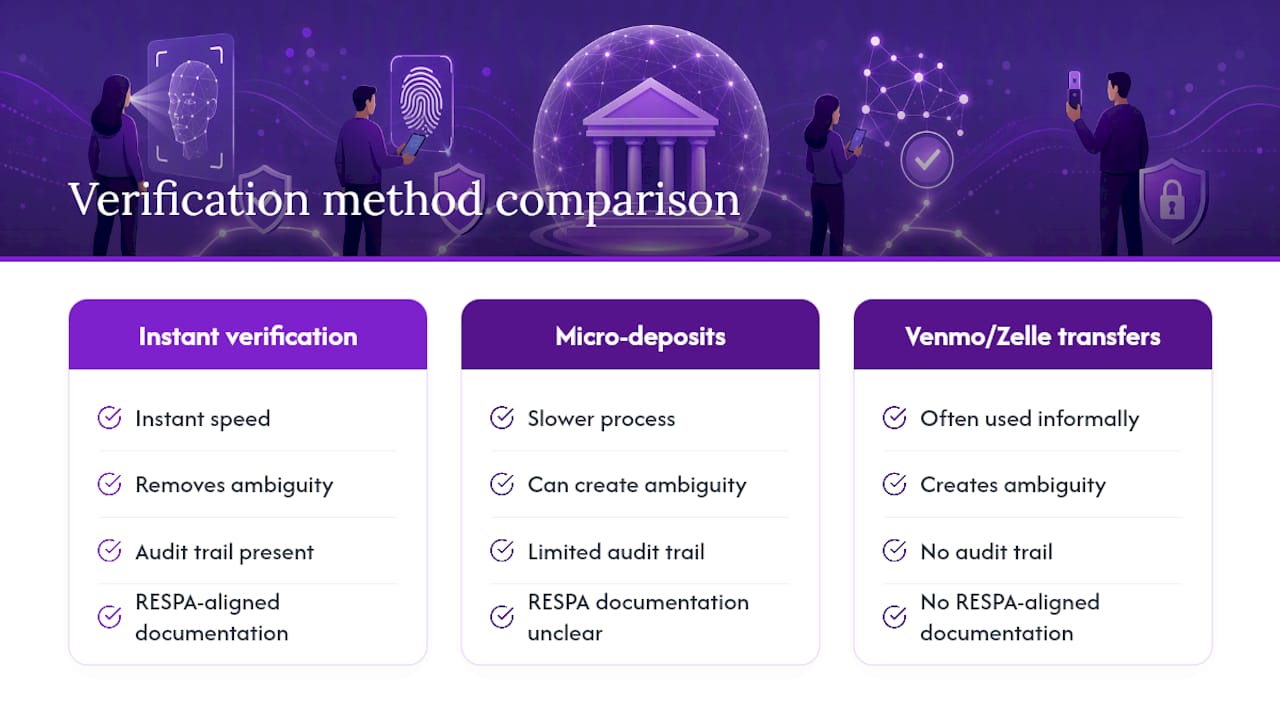
Most people treat a bank account modification as a five-minute chore. In a brokerage, it’s a liability event if it’s handled sloppily. Instant verification isn’t just faster than micro-deposits, it removes the ambiguity that creates disputes: no one has to argue later about whether the right account was confirmed before money moved.
The real risk shows up when brokerages skip formal verification entirely and let agents settle commission splits through Venmo or Zelle. Those transfers leave no audit trail, no RESPA-aligned documentation, and no record of who approved what. A documented, verified payout workflow closes that gap before it becomes a regulatory conversation.
— Wes
Automate Verified Commission Payouts With Brokerpay
Brokerpay gives brokerages what a spreadsheet and a Venmo request never could: a verified payee on file before a single dollar moves, plus a permanent record of who approved it and when. Instead of chasing down agent bank details over text or email, Brokerpay verifies each payee account once, then automates every commission split, referral fee, and co-op payout through ACH with a full audit trail attached.
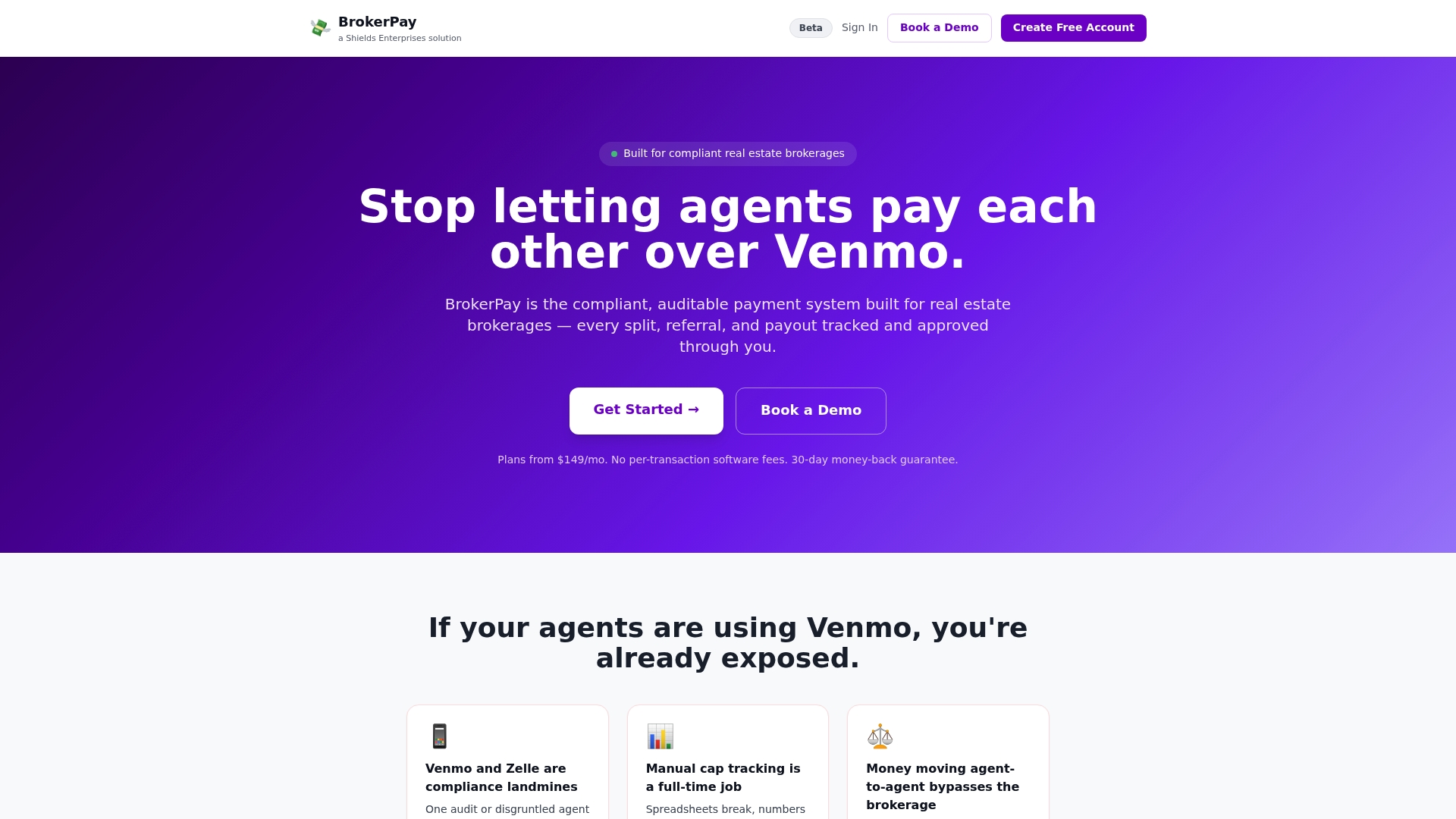
If your brokerage handles more than a handful of inter-agent payments a month, or if a compliance review has ever made you nervous about how those payments were documented, that’s the point where a manual process stops being practical. Brokerpay keeps the payout workflow RESPA-aligned and removes the peer-to-peer payment app risk entirely. Visit Brokerpay to see how automated, verified payouts would work for your office.
Where to Verify Official Update Procedures
- SSA: Update direct deposit
- PayPal: Updating bank details
- Stripe: Update existing bank account information
- Plaid: Auth product overview
- Trulioo: Bank account verification
This article is general information, not a substitute for advice from a qualified financial advisor. Consult a qualified financial professional about your own circumstances before acting on anything here.